Is your accessibility widget accessible?
The accessibility feature on some websites, where you click a thing to choose your accessibility options or preferences, much of the time isn’t accessible itself.
Is it even WCAG compliant?
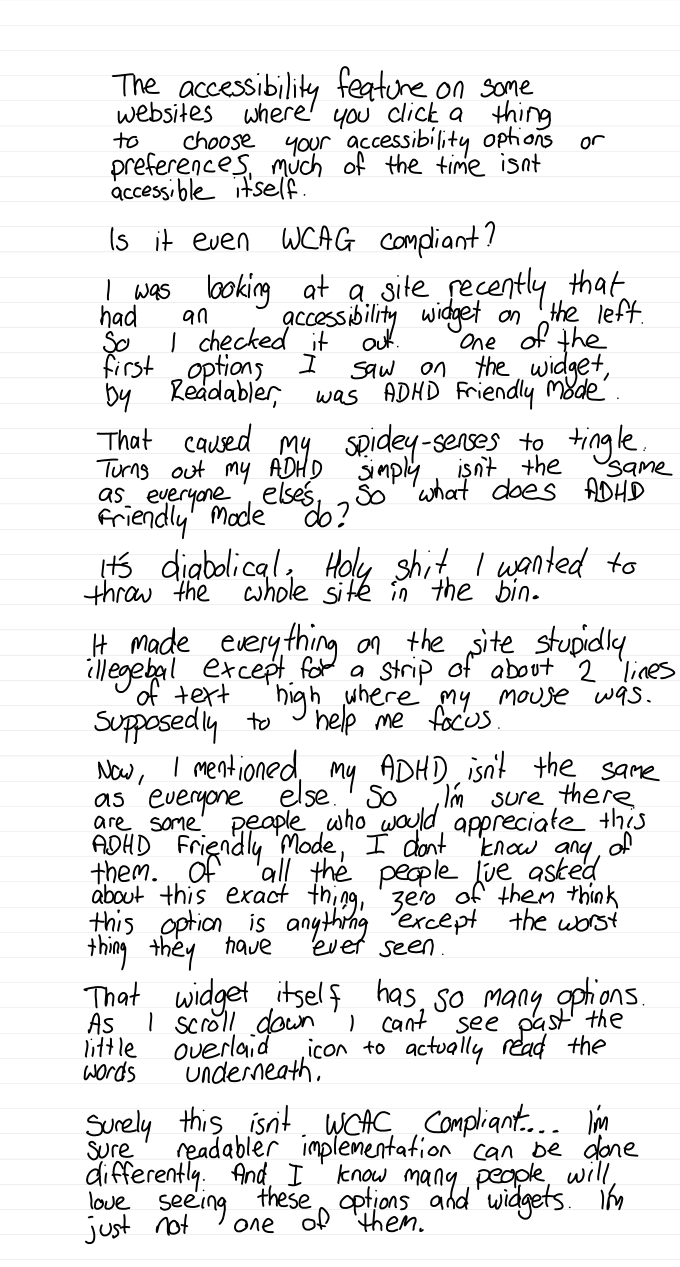
I was looking at a site recently that had an accessibility widget on the left. So I checked it out. One of the first options I saw on the widget, by Readabler, was “ADHD Friendly Mode”.
That caused my spidey-senses to tingle. Turns out my ADHD simply isn’t the same as everyone else’s, so what does ADHD Friendly Mode do?
It’s diabolical. Holy shit, I wanted to throw the whole site in the bin.
It made everything on the site stupidly illegible, except for a strip about 2 lines of text high where my mouse was. Supposedly to help me focus.
Now, I mentioned my ADHD isn’t the same as everyone else’s. So I’m sure there are some people who would appreciate this ADHD Friendly Mode. I don’t know any of them. Of all the people I’ve asked about this exact thing, zero of them think this option is anything except the worst thing they have ever seen.
That widget itself has so many options. As I scroll down, I can’t see past the little overlaid icon to actually read the words underneath.
Surely this isn’t WCAG compliant… I’m sure Readabler’s implementation can be done differently. And I know many people will love seeing these options and widgets. I’m just not one of them.
Turns out I’m not alone
In a WebAIM survey of people who work in accessibility, 72% of respondents with disabilities rated these widgets and overlays “not at all” or “not very” effective. Only 2.4% said “very effective”.
More than a thousand accessibility people, including editors of WCAG itself, have signed the Overlay Fact Sheet. It says no overlay on the market can make a website fully meet any accessibility standard.
And in 2025, the US Federal Trade Commission fined a different widget company, accessiBe, US$1 million for claiming one line of code could make any website WCAG compliant within 48 hours. It couldn’t.
So, is it WCAG compliant?
I can’t tell you that from one visit to one site. But I can tell you two things.
An icon that sits on top of the page is a problem. If it covers the thing your keyboard is focused on, that fails a WCAG 2.2 rule called Focus Not Obscured.
And a widget can’t make a website compliant. The barriers that stop people live in the website’s code. Images with no description. Headings in a random order. Form fields with no labels. Buttons a keyboard can’t reach. A toolbar that changes the text size doesn’t touch any of that.
In Australia, the Human Rights Commission’s guidelines for digital accessibility point to WCAG 2.2 AA as the standard to aim for. The question is whether people with disability can actually use your site. Not whether you’ve installed something that says they can.
Test one yourself
Next time you see one of these widgets, try this:
- Put your mouse away and press Tab. Can you open the widget, use it and get back out with just the keyboard?
- Keep tabbing through the page. Does the widget’s icon sit on top of the thing you’ve just tabbed to?
- Change your own settings first. Make the text bigger on your phone or computer, then load the site. Does the site respect that, or does the widget want you to do it all again its way?
You won’t find an accessibility widget on this site. It’s built to work with the settings already on your device.
If you’d like to know where your own site stands, start with a free audit. I’ll tell you what’s working, what isn’t, and what to fix first.
Got thoughts on this? Email me or send me a message.
Where this started
This is the handwritten note the article started as.